
Your law firm needs a new website. The one you have is five years old, slow on mobile, and your competitors' sites look like they were built using much more modern technology.
So you start Googling website designers for law firms, scrolling through portfolios.
Here's the problem. Most web designers have never built a site for a law firm. They don't know that law societies across Canada restrict certain advertising claims. They don't know what a Clio integration is. They don't understand why a personal injury practice's site architecture looks fundamentally different from a corporate boutique's. They'll build you something that looks clean and performs like a brochure.
The numbers tell the story. A 2026 Taqtics analysis found that 87% of law firms have a website, but only 35% have ever gained a client from one. Most of those sites were built without the industry knowledge needed to turn visitors into consultations.
This post covers the criteria that separate designers who understand legal from those who don't, the red flags that should end a conversation immediately, and a realistic picture of what the project will cost. If you're still deciding whether to build your own site or hire a professional, start with our DIY vs. agency comparison first.
Why Is Law Firm Web Design Different from General Web Design?
It requires specialized knowledge that most general web designers simply don't have. The regulatory environment, client intake workflows, content structure, and search optimization for legal services are all distinct from other industries. A designer who's built sites for restaurants, dental practices, and e-commerce stores will get the visual design right and miss nearly everything else.
Law Society Advertising Compliance
Every province in Canada has a law society with rules governing how lawyers can market themselves online, and those rules differ across jurisdictions. The Law Society of Ontario, the Law Society of British Columbia, and the Law Society of Alberta all restrict misleading advertising, regulate how testimonials and results can be presented, and set boundaries on what claims are permissible on your website. But the specifics vary enough that what's compliant in one province may cross a line in another.
A web designer building a personal injury firm's site needs to understand these constraints before writing a single headline. "We win cases" isn't always a compliant claim. Neither is a case results table presented without proper disclaimers. General web designers don't know these rules exist, let alone the province-specific differences.
We've written province-specific guides covering Ontario, Alberta, British Columbia, Quebec, Atlantic Canada, and Saskatchewan. Your web designer should know the rules in your province as well as you do.
Intake Integration
Your website isn't just a marketing tool. It's the first step in your client intake process. A well-built law firm website connects directly to your case management system, whether that's Clio, uLaw, PracticePanther, or something else entirely. When a potential client fills out your contact form at 11 PM on a Tuesday, that lead should appear in your intake queue automatically, not sit in an unmonitored Gmail inbox until the next morning.
For personal injury and family law firms, intake speed is especially critical. These practice areas see high volumes of inquiries, and the firms that respond within minutes consistently sign more cases than those that wait until the next business day. Research from Taqtics puts hard numbers on this: 67% of potential clients base their hiring decision on response speed, and firms that respond within five minutes see 400% higher conversion rates. Yet only 25% of law firms actually respond to online leads that quickly. Your web designer needs to understand this workflow and build intake features that close the gap, not just design form fields.
Practice Area Page Architecture
Law firm websites need content architecture that most designers have never considered. Each practice area requires its own dedicated page, optimized for specific search terms, with content deep enough to demonstrate genuine expertise.
A personal injury firm doesn't just need a page that says "personal injury." It needs separate pages for motor vehicle accidents, slip and fall claims, long-term disability denials, and wrongful death, each targeting the terms potential clients actually search. Firms with this depth consistently outperform those with a single "our services" page that tries to cover everything. Our guide to writing practice area pages covers the structure, SEO layer, and compliance considerations that make these pages convert.
Local Search Signals
Most law firms serve a specific geographic area. Your web designer needs to understand how local search works: Google Business Profile optimization, consistent NAP (name, address, phone) data across the web, local schema markup, and location-specific content.
For a personal injury firm in Hamilton, ranking in the local map pack for "personal injury lawyer Hamilton" is often more valuable than any organic result. A designer who doesn't build with local search in mind is leaving your most valuable traffic source on the table.
What Should You Look for in a Law Firm Web Designer?
The most important factor is demonstrated experience as a website designer for law firms in Canada. Everything else is secondary. A brilliant designer who's never navigated law society rules, intake integrations, or legal SEO will make expensive mistakes your firm pays for in lost clients.
Here's what to evaluate.
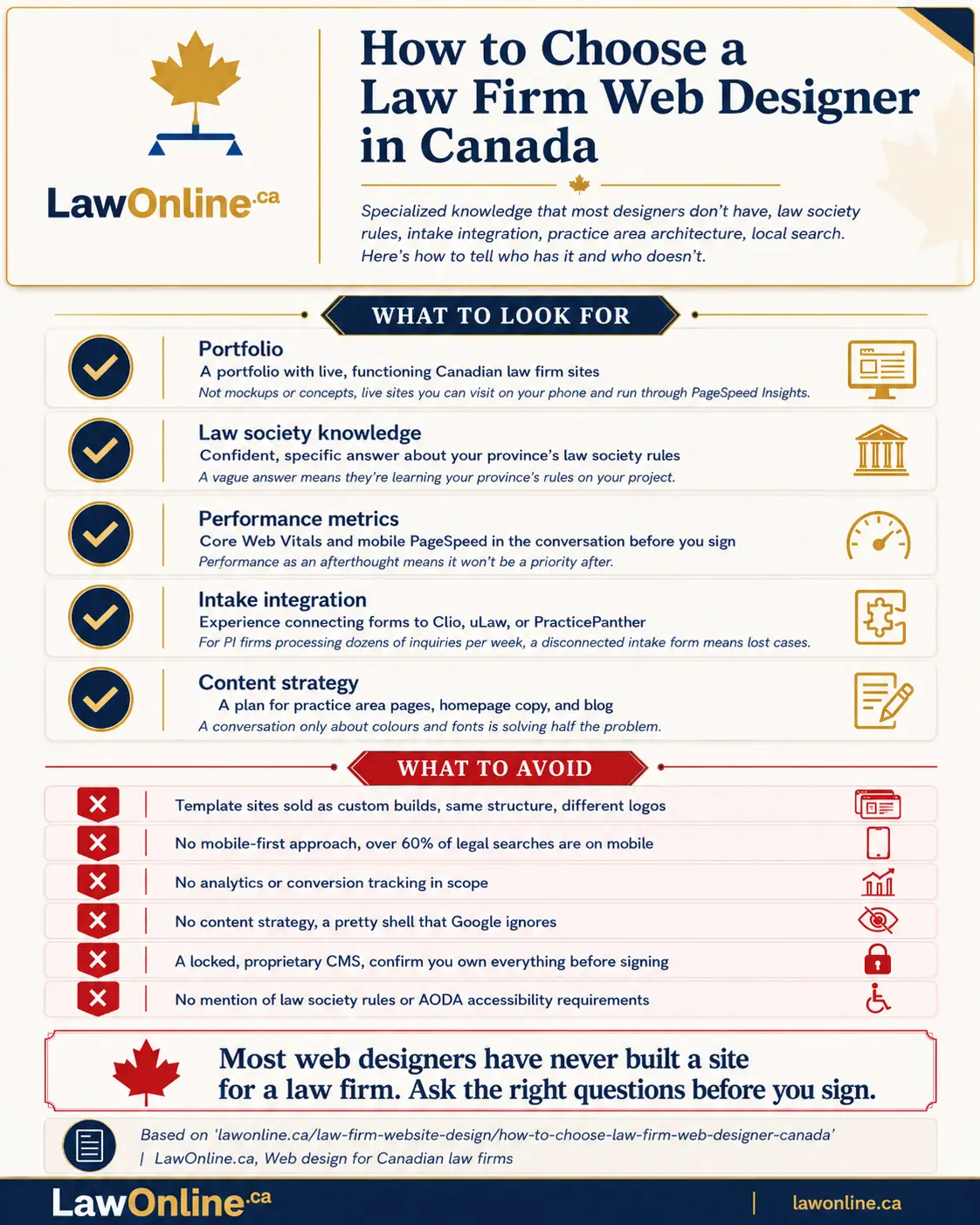
A portfolio with legal clients. Ask to see law firm websites they've built. Not mockups or concepts. Live, functioning sites. Visit those sites on your phone. Run them through Google's PageSpeed Insights. If the sites they've built for other firms are slow, aren't mobile-friendly, or have thin practice area pages, that's what they'll build for you.

Knowledge of Canadian law society advertising rules. Ask them directly: "What can and can't we say on our website under our province's law society rules?" If they've worked with law firms in your province, they'll give you a specific, confident answer. If they haven't, they'll give you a vague one. That difference matters more than any portfolio piece.
Performance metrics as a standard deliverable. A good law firm web designer will set up Google Analytics, Google Search Console, and conversion tracking before launch, not as an afterthought three months later. They should be talking about Core Web Vitals scores, mobile performance, and time-to-first-byte during the proposal stage. If you're not sure what those metrics mean or why they matter, our breakdown of Core Web Vitals for law firms covers the benchmarks your site should hit. If performance isn't part of the conversation before you sign, it won't be a priority after.
Intake integration experience. Ask whether they've connected contact forms to Clio, uLaw, or other Canadian legal practice management platforms. If your personal injury firm runs on Clio Grow for intake, your web designer should know how to wire that up. This isn't a nice-to-have. For PI firms processing dozens of inquiries per week, a disconnected intake form means lost cases.
Content strategy, not just visual design. A website without a content strategy is a pretty shell that Google ignores. The designer or their team should have a plan for your practice area pages, homepage copy, about page, and blog. If the conversation is only about colours, fonts, and layouts, they're solving half the problem.
What Are the Red Flags When Hiring a Web Designer?
Some red flags are obvious. Others are subtle enough that you won't notice until after you've signed a contract and the project is underway. The following red flags apply whether you're vetting a freelance law firm web designer or a full agency.
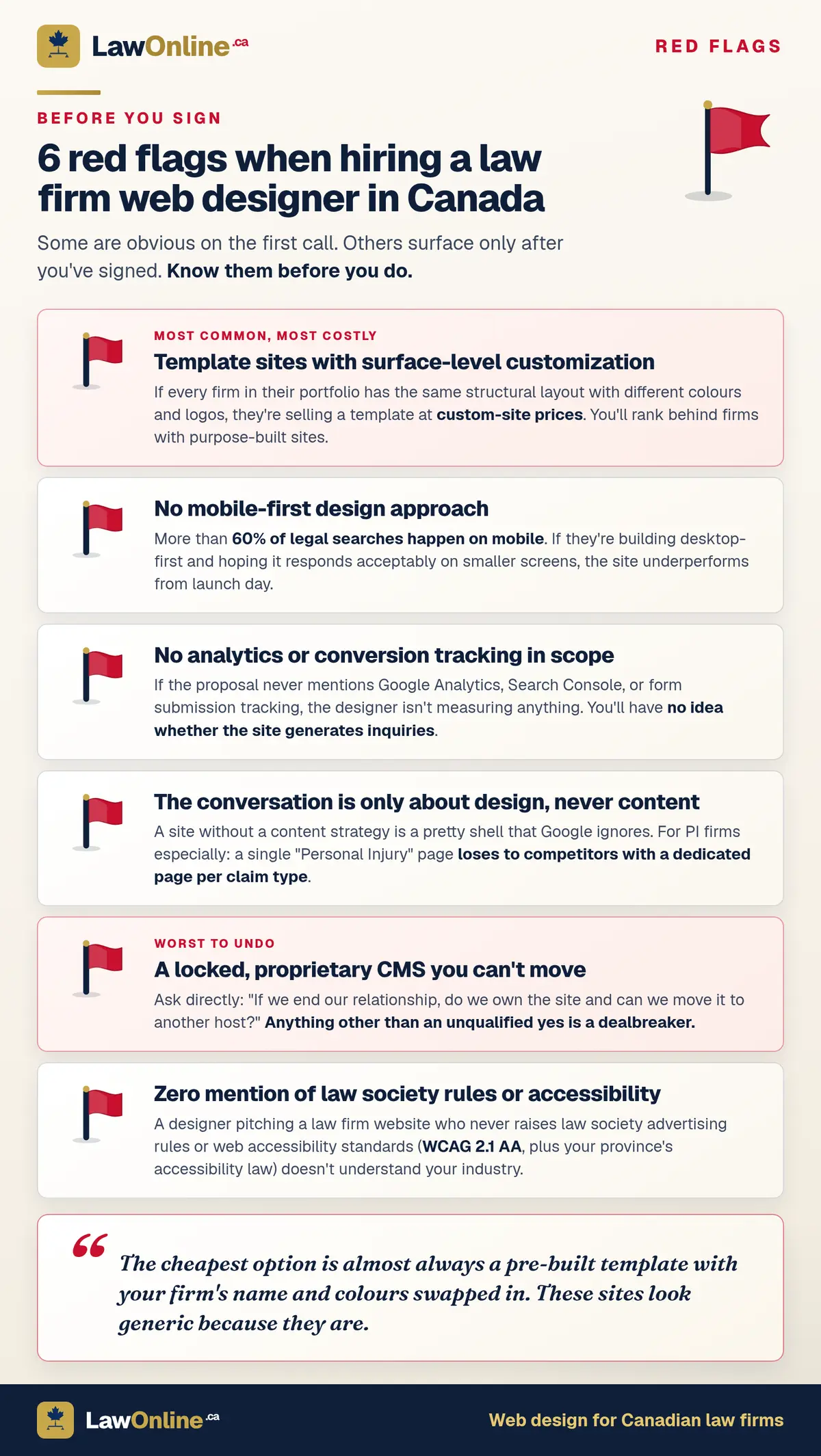
Templated sites with surface-level customization. The cheapest option is almost always a pre-built template with your firm's name and colours swapped in. These sites look generic because they are. If a designer's portfolio shows five law firm sites that are structurally identical, they're selling templates, not custom design. You'll rank behind firms with purpose-built sites, and you'll look like every other practice in your city.
No mobile-first approach. Research from Taqtics shows that 76% of potential clients will see a law firm's site on a phone. ParallelHQ's analysis puts legal landing page mobile traffic even higher, at nearly 90%. If your designer isn't building mobile-first, or worse, if they're building a desktop site and hoping it "responds" acceptably on smaller screens, the site will underperform from launch day. Ask to see their mobile designs before the desktop version. If that request surprises them, move on.
No analytics or tracking setup. If the proposal doesn't mention Google Analytics, Search Console, or conversion tracking, the designer isn't measuring anything. You'll have no idea whether your website is actually generating inquiries or just sitting there. For any firm spending real money on a new site, flying blind isn't acceptable.
No content strategy. If the entire conversation is about design and never about content, your site will launch with thin pages that don't rank for anything useful. Personal injury firms are especially vulnerable here. A site with a single "Personal Injury" page competing against firms that have dedicated content for each claim type will lose that comparison every time.
A locked, proprietary CMS. Some designers build your site on a custom content management system that only they can maintain. If you want to leave, you can't take your site with you. Ask directly: "If we end our relationship, do we own the site and can we move it to another host?" If the answer is anything other than an unqualified yes, that's a dealbreaker.
No discussion of compliance. If a designer pitches you a law firm website and never mentions law society rules, accessibility requirements (AODA in Ontario), or legal disclaimers, they don't understand your industry. A designer who isn't building to WCAG 2.1 AA accessibility standards is creating a compliance risk your firm shouldn't accept.
What Does a Typical Law Firm Website Project Look Like?
A professional law firm website build typically takes 8 to 16 weeks from the first conversation to launch. Solo practitioner sites land closer to 8 weeks. Multi-practice firms with 15 or more practice area pages, individual lawyer profiles, blog infrastructure, and intake integrations are closer to 16.
Most projects follow a similar arc:
Discovery (weeks 1 to 2). The designer learns about your practice, your target clients, your competitive landscape, and your goals. They should be asking about your practice areas, geographic focus, and how you currently handle intake.
Strategy and architecture (weeks 2 to 4). Site map, page hierarchy, keyword targets for each page, and wireframes. This is the plan before any visual design starts. If a designer skips straight to mockups without this step, they're designing without a strategy.
Design (weeks 4 to 8). Visual design of key page templates: homepage, practice area page, lawyer profile, and contact page. You review and provide feedback.
Development and content (weeks 6 to 12). Approved designs get built into a working site while content is written for each page. These workstreams run in parallel.
Testing and launch (weeks 12 to 16). Quality assurance, speed optimization, analytics setup, accessibility audits, cross-browser testing, and launch.
For a detailed breakdown of each phase and what your firm needs to provide at every stage, see our complete guide to the law firm website build process.
How Much Does Law Firm Web Design Cost in Canada?
Canadian law firm websites range from $3,000 to $75,000+, with most solo and small firm builds falling between $5,000 and $15,000. The variation is wide because the scope varies enormously. A five-page solo practitioner site is a fundamentally different project from a 40-page multi-practice build with client portals, bilingual support, and custom intake workflows. That range is wide, but the investment tends to pay off. A 2026 compilation of legal marketing statistics found that 65% of law firms say their website delivers the highest ROI of any marketing channel.
What drives costs up: the number of practice area pages, custom versus template design, intake integrations, bilingual content, and whether SEO and content are included or billed separately. If someone quotes $500 for a "complete" law firm website, they're selling a template. If they quote $40,000 for a five-page solo practice site, they're overcharging.
For a full tier-by-tier pricing breakdown with data from our research across Canadian agencies, see our complete guide to law firm website costs in Canada.
Why Does the Toronto Legal Market Require Local Design Expertise?
Law firm web design in Toronto requires a higher standard of technical execution than almost any other Canadian city. Toronto is the largest legal market in Canada and one of the most competitive. The Greater Toronto Area has more lawyers per capita than almost any other Canadian city, and the search landscape reflects that density. A personal injury firm in Toronto isn't competing against three or four local rivals for search visibility. It's competing against dozens.
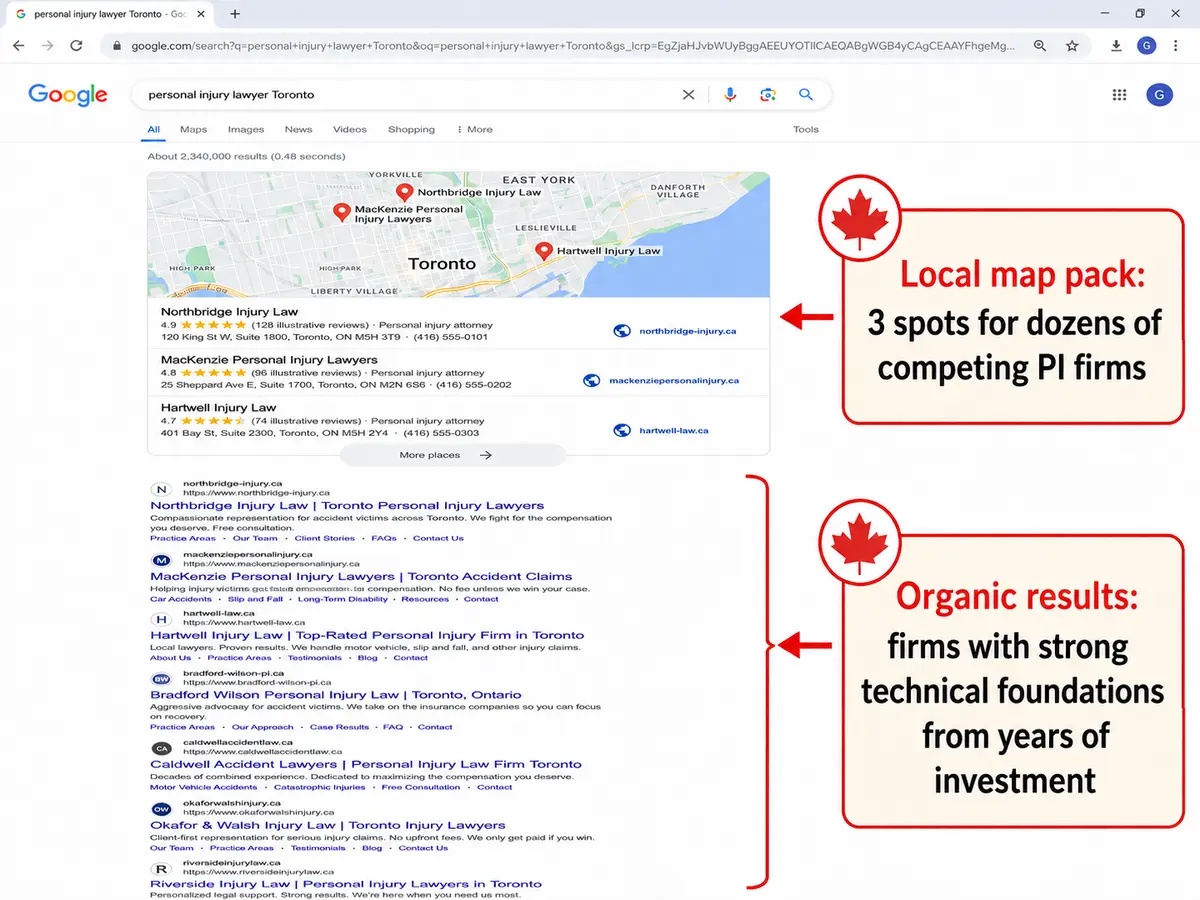
That competitive intensity means "good enough" web design doesn't work here. A templated site that generates decent traffic for a solo practitioner in a smaller market will disappear in Toronto's search results. Firms in the GTA need sites that are technically excellent, content-rich, and optimized for both organic search and the local map pack.
Toronto's diversity creates specific design requirements. Depending on your practice area, you may need multilingual content or intake workflows that serve clients who speak Mandarin, Cantonese, Punjabi, Farsi, or Arabic. A personal injury firm in Brampton serving a large South Asian community has different content and design needs than a Bay Street litigation boutique. A web designer who's worked with Toronto-area law firms understands these realities. One who hasn't will build a standard English-only site and call the project done.
The cost per click for legal keywords in Toronto is among the highest in Canada. That makes organic search performance critical. If your website ranks well for terms like "Toronto personal injury lawyer" or "family lawyer Toronto," you're generating inquiries that would cost $50 to $150 per click through Google Ads. A well-built website pays for itself in ad spend you don't need.
If you're a Toronto firm evaluating web designers, prioritize those who can show you live sites they've built for GTA practices. Ask about those clients' search performance. Toronto results are worth more than a portfolio from less competitive markets.
Frequently Asked Questions
How long does it take to build a law firm website?
Most professional law firm websites take 8 to 16 weeks from discovery to launch. Solo practitioner sites land closer to 8 weeks. Multi-practice firms with extensive content and custom integrations typically need 12 to 16 weeks. Any designer promising a complete custom site in two weeks is cutting corners. For the full phase-by-phase breakdown, see our law firm website build process guide.
Should I hire a local web designer or work with someone remote?
You can work with a remote designer effectively. The more important factor is whether they have experience with Canadian law firms. A designer in Vancouver who's built 20 law firm websites will do better work for your Ontario practice than a local designer who's never worked with a law firm. That said, a designer who understands your province's law society rules and local search landscape has an advantage that's hard to replicate remotely.
Do I really need a web designer who specializes in law firms?
Yes. The common design mistakes that cost law firms clients almost always trace back to a designer who didn't understand the legal industry. Law Society compliance, intake integration, practice area architecture, and legal SEO are specialized skills. A generalist designer will build you a site that looks professional but underperforms against firms whose sites were built by someone who understands how lawyers actually get clients online.
What should I do if my current website isn't performing?
Start with a performance audit. Run your site through Google's PageSpeed Insights to check speed scores. Review your Google Search Console data to see which queries bring traffic and where your pages rank. If your site is slow, thin on content, not mobile-friendly, or not generating inquiries, those are symptoms of a build that didn't account for how legal clients actually search and convert. In many cases, a strategic rebuild is more cost-effective than trying to patch an underperforming site.
What questions should I ask a law firm web designer before hiring?
Ask to see live law firm websites they've built, not mockups. Ask directly about their experience with your province's law society advertising rules and whether they've connected forms to Clio, uLaw, or other Canadian legal practice management platforms. Ask whether you'll own the site and CMS if you leave. Ask how they measure performance after launch. If any of these questions catch them off-guard, that's your answer.