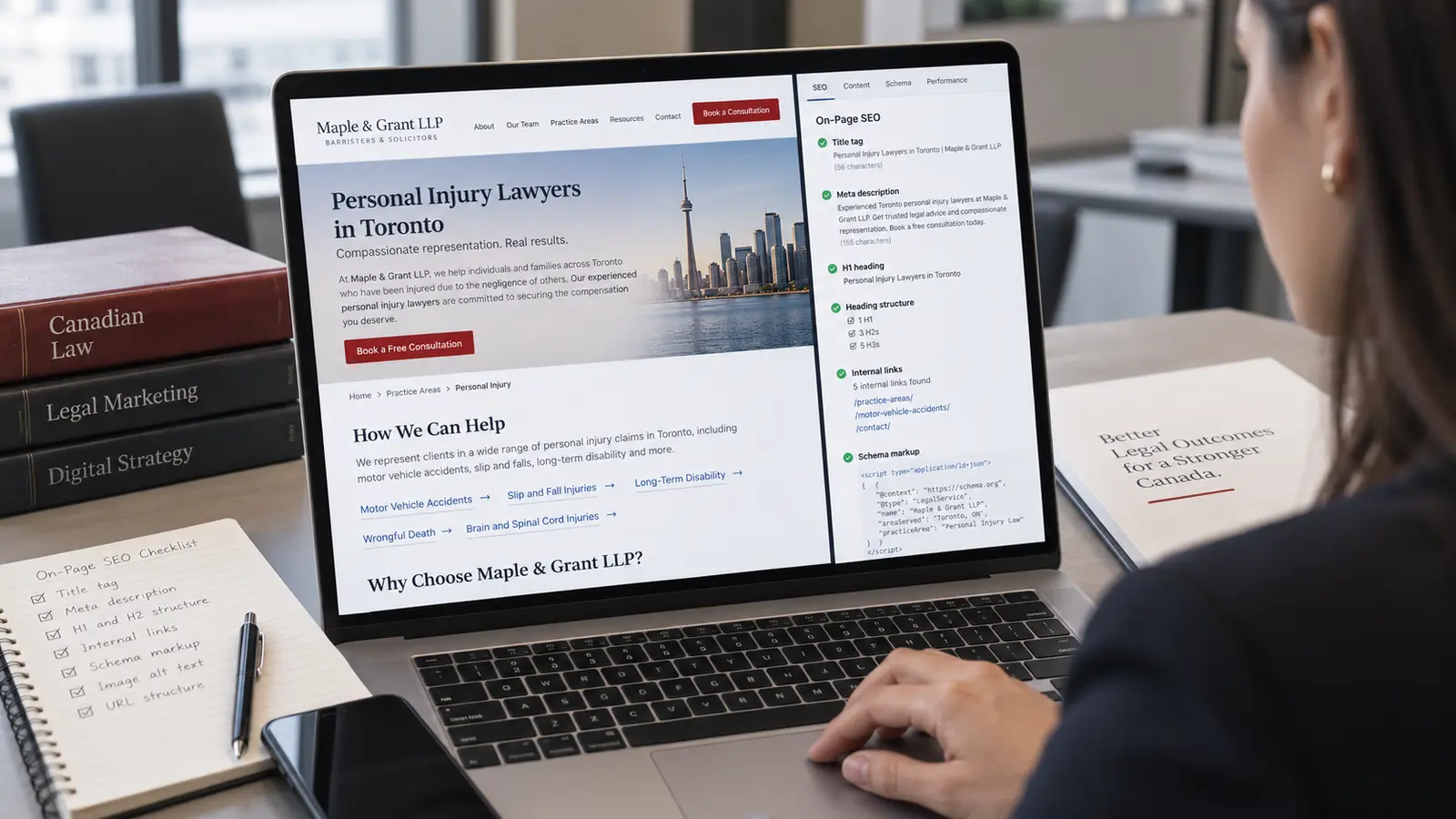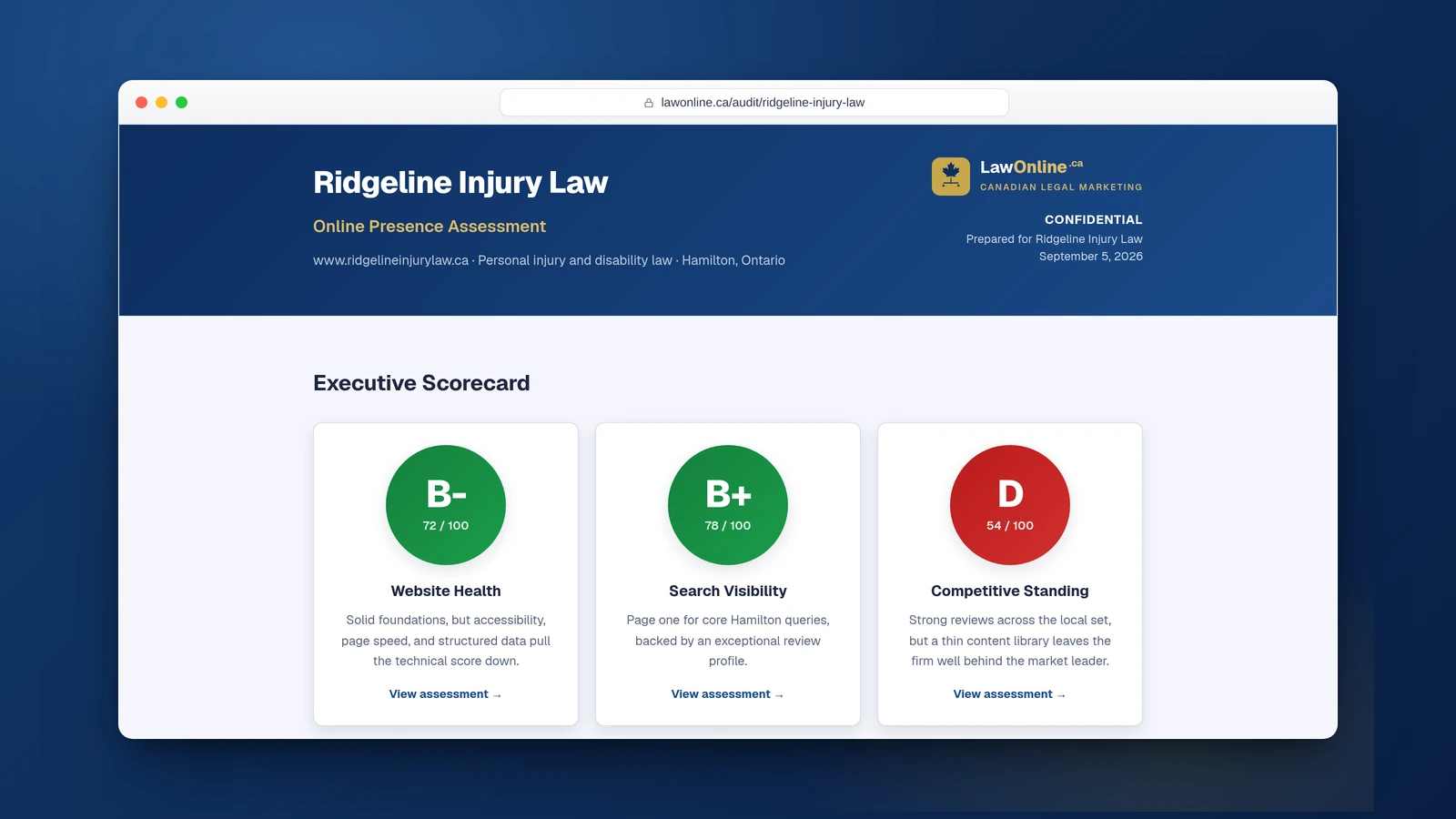
You've got a professional website, practice area pages for every service you offer, and maybe even a blog. But when you type "personal injury lawyer Toronto" or "family lawyer Ottawa" into Google, your firm is nowhere on the first page. Something is wrong, and you can't fix what you can't diagnose.
That's what a law firm SEO audit does. It's a systematic check of every factor that influences whether Google ranks your site, organized so you can work through it in a single sitting and walk away knowing exactly what's broken. Each check below uses free tools and ends with a specific fix.
If you've read our breakdown of why most law firm SEO in Canada fails, this is the natural follow-up. That post explains the strategic mistakes. This one gives you the diagnostic checklist.
What Is an SEO Audit and Why Does It Matter for Law Firms?
A law firm SEO audit is a structured review of your website's technical health, on-page optimization, and off-page authority. It identifies the specific issues preventing your pages from ranking in search results. Think of it the way a personal injury lawyer thinks about medical records: you can't build a case without knowing exactly what the damage is and where it is.
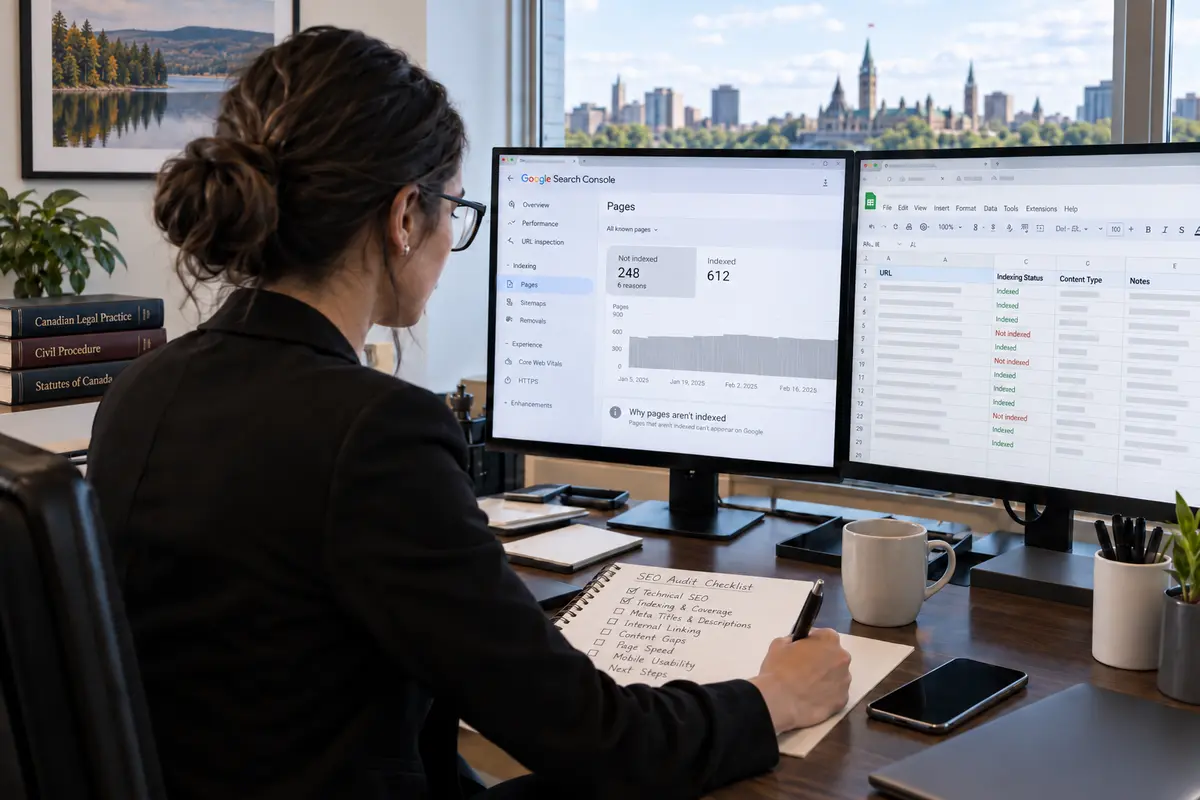
The results of doing this work can be dramatic. A Greenspring Media case study found that a technical SEO audit on a content-heavy website led to a 530% increase in organic sessions within three months, after the audit uncovered site errors, outdated metadata, and uncompressed images. A separate WebMechanix case study documented how acting on a routine quarterly audit boosted organic visits to key pages by 67% and more than doubled the conversion rate. Neither outcome required a redesign or a big budget. They came from finding specific problems and fixing them.
For law firms, SEO audits matter more than they do for most businesses because legal search is hyperlocal, intensely competitive, and governed by Google's YMYL (Your Money or Your Life) quality standards. Federal industry data puts the number of legal services establishments in Canada at over 52,000, and research from the Canadian Forum on Civil Justice found that nearly 12 million Canadians experience at least one legal problem in a three-year period, with many turning to search engines first. In a market that size, a single technical issue like your practice area pages being accidentally blocked from Google's index can silently cost you clients for months. An audit catches these problems before they compound.
For context on how SEO works for Canadian law firms specifically, that post covers the foundational strategy this audit builds on.
Technical SEO: Can Google Actually Find Your Pages?
Technical issues are the most common reason law firm websites underperform, and they're also the easiest to miss because everything looks fine to a human visitor. Your site loads, the pages look good, the content reads well. But if Google can't crawl, index, or render your pages properly, none of that matters.
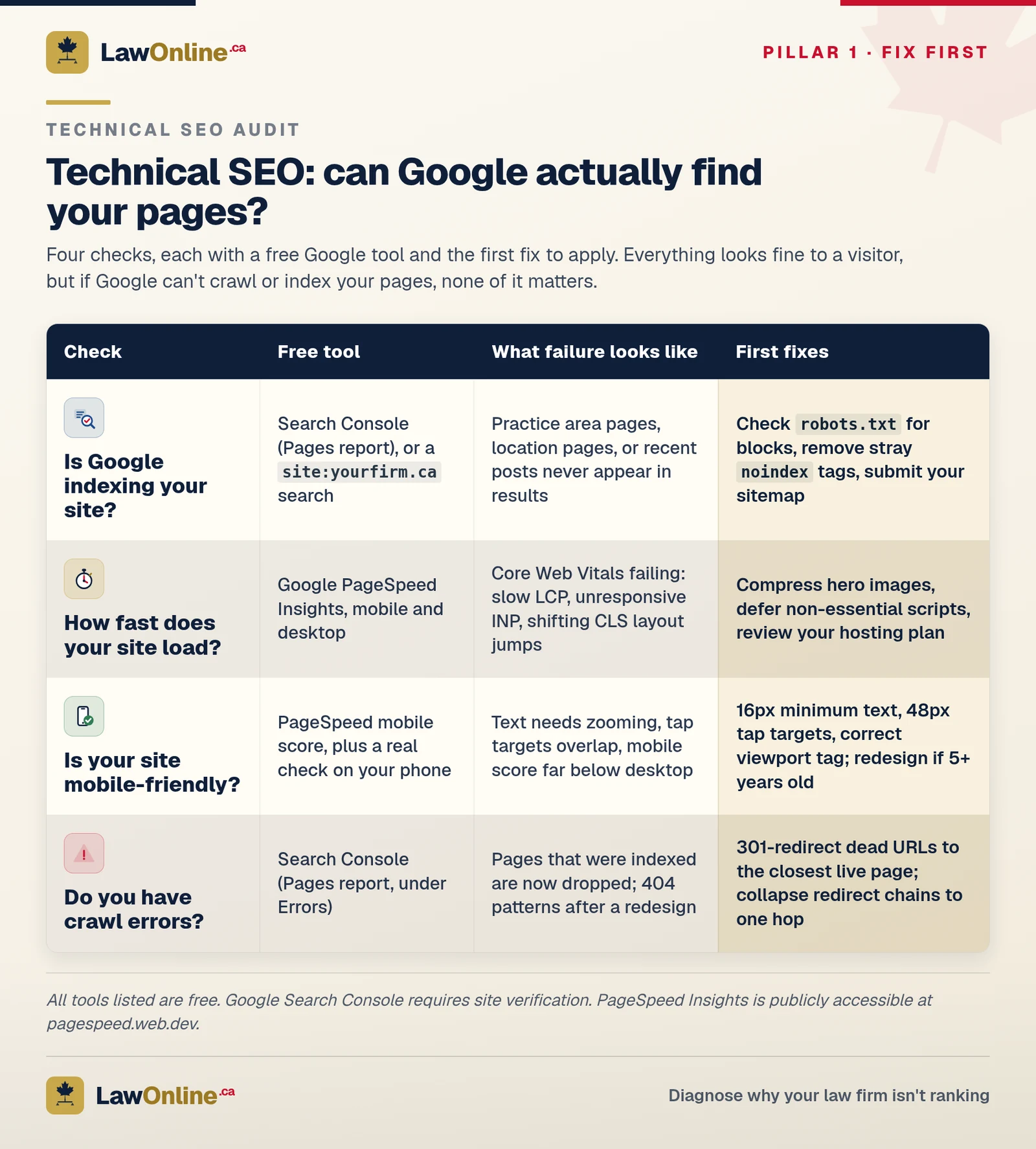
Is Google Indexing Your Site?
Start here. If Google hasn't indexed your pages, they literally cannot appear in search results regardless of how good the content is. Open Google Search Console (if your firm doesn't have this set up, that's your first fix) and check the Pages report under Indexing. It shows you exactly how many pages Google has indexed and which ones it hasn't, along with the reason for each exclusion.
You can also run a quick manual check by typing site:yourfirmname.ca into Google. The results show every page Google has indexed. If your practice area pages, location pages, or recent blog posts don't appear, they're invisible to searchers.
What to fix if you fail this check: The most common indexing problems for law firm sites are a misconfigured robots.txt file blocking crawlers, noindex tags accidentally left on pages by a developer, or a missing XML sitemap. Check your robots.txt file (visit yourfirmname.ca/robots.txt in a browser) to make sure it isn't blocking important pages. Submit your sitemap through Search Console if you haven't already.
How Fast Does Your Site Load?
Site speed is a confirmed Google ranking factor, and it's even more consequential for law firms because legal searches happen in high-stakes moments. Someone searching for a personal injury lawyer after a car accident isn't going to wait five seconds for your page to load. They'll hit the back button and click the next result.
Run your site through Google PageSpeed Insights and check both the mobile and desktop scores. Focus on the three Core Web Vitals: Largest Contentful Paint (how fast the main content loads), Interaction to Next Paint (how responsive the page feels), and Cumulative Layout Shift (whether elements jump around as the page renders). Our deep dive on Core Web Vitals for law firms explains each metric and what good scores look like.
What to fix if you fail this check: The biggest speed killers on law firm websites are uncompressed images (especially large hero banners), too many third-party scripts (live chat widgets, analytics tools, social media embeds all loading at once), and slow hosting. Compress your images, defer non-essential scripts, and talk to your developer about whether your hosting plan is adequate.
Is Your Site Mobile-Friendly?
Google uses mobile-first indexing, meaning it evaluates the mobile version of your site before the desktop version. If your site is hard to use on a phone, Google will rank it lower even if the desktop version looks great.
Pull up your site on your own phone and try to navigate it. Can you read the text without zooming? Can you tap the phone number without accidentally hitting something else? Then check PageSpeed Insights for your mobile score specifically.
What to fix if you fail this check: If your site was built more than five years ago, it probably wasn't designed with mobile as the primary experience. A responsive redesign is the real fix, but in the short term, make sure your text is at least 16px, your tap targets are at least 48px apart, and your viewport meta tag is set correctly.
Do You Have Crawl Errors?
Crawl errors mean Google tried to access a page on your site and couldn't. The most common types are 404 errors (pages that don't exist), redirect chains (one redirect pointing to another pointing to another), and server errors. A few 404s won't tank your rankings, but a pattern of them signals to Google that your site isn't well-maintained.
Check the Pages report in Google Search Console for errors. Pay special attention to pages that used to be indexed but have since been dropped, because that often means a URL broke during a site redesign.
What to fix if you fail this check: Set up 301 redirects from any dead URL to the most relevant current page. For redirect chains, simplify them so each old URL redirects to the final destination in a single hop.
On-Page SEO: Is Your Content Working for Search Engines?
On-page SEO is the part of the audit where you evaluate whether your actual content, the words on the page and the HTML structure around them, is telling Google what each page is about. Our complete on-page SEO guide for law firms covers this topic in depth, but here are the critical checks.
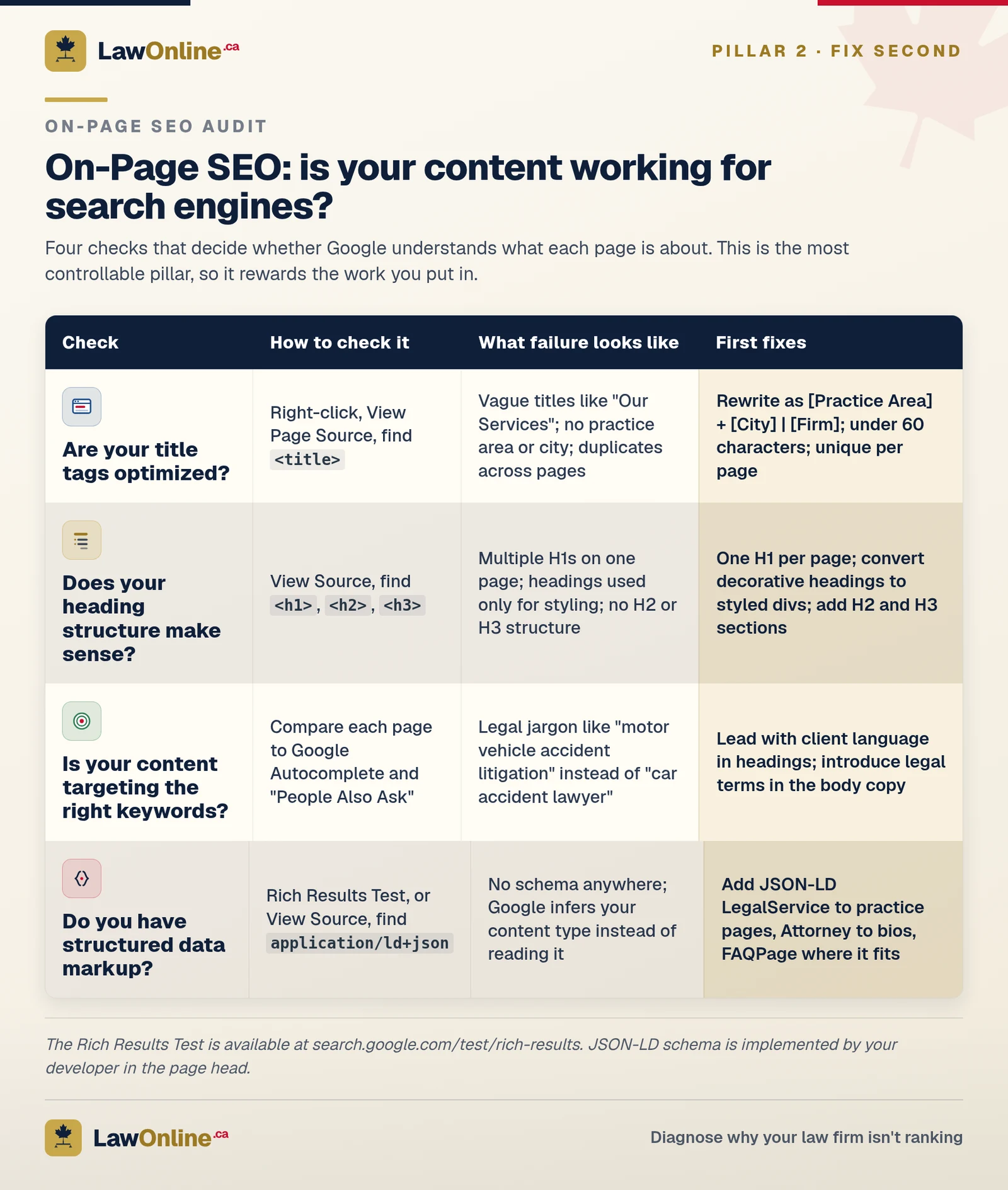
Are Your Title Tags Optimized?
The title tag is the single most important on-page ranking signal. It's the blue clickable text in search results and the first thing Google reads when evaluating what a page covers. Most law firm websites waste it with vague titles like "Our Services" or "Practice Areas" that tell Google nothing useful.
Check your title tags by right-clicking any page, selecting "View Page Source," and searching for <title>. Every practice area page should include the practice area and city: "Personal Injury Lawyer Toronto | Firm Name" is far more effective than "Personal Injury | Firm Name" because legal search is overwhelmingly local.
What to fix if you fail this check: Rewrite every practice area title tag using the format [Practice Area] + [City] | [Firm Name]. Keep each under 60 characters and make sure every page has a unique title tag.
Does Your Heading Structure Make Sense?
Heading tags (H1, H2, H3) create a hierarchy that tells Google how your content is organized. The most common mistakes on law firm websites are multiple H1 tags on a single page, headings used purely for visual styling, or no headings below the H1 at all. All three make it harder for Google to understand what your page covers.
Right-click, View Source, and search for <h1>, <h2>, and <h3> tags. You should have exactly one H1 per page (usually the main page heading), with H2s for major sections and H3s for subsections within those. A personal injury practice area page might have an H1 of "Personal Injury Lawyer Toronto," H2s for "Types of Cases We Handle" and "How the Claims Process Works," and H3s for specific case types under each.
What to fix if you fail this check: Restructure your headings into a clean hierarchy. Remove duplicate H1 tags, convert decorative headings to styled <div> or <span> elements, and add H2/H3 headings to break up long pages that currently read as a single block of text.
Is Your Content Targeting the Right Keywords?
Even perfectly structured pages won't rank if the content doesn't match what people actually search for. A personal injury firm with a page titled "Motor Vehicle Accident Litigation" is targeting legal terminology that potential clients don't use. People search for "car accident lawyer," not "motor vehicle accident litigation."
Review each practice area page and ask: does the language on this page match the language a potential client would type into Google? Look at Google's autocomplete suggestions (start typing your practice area in Google and see what it recommends) and the "People also ask" boxes on search results pages for the real-world phrasing your audience uses.
What to fix if you fail this check: Use the client-facing term in headings ("Car Accident Lawyer Toronto") and introduce the legal term naturally in the body ("motor vehicle accident claims under Ontario's Insurance Act"). You aren't dumbing the content down. You're matching it to how people search.
Do You Have Structured Data Markup?
Structured data (Schema markup) is code that tells Google exactly what type of content is on your page. For law firms, the most important types are LegalService or Attorney markup on practice area pages, LocalBusiness for your contact information, and FAQPage markup on any page with an FAQ section. Google uses this data to generate rich results, knowledge panels, and AI-generated answers.
Check your pages using Google's Rich Results Test or by viewing page source and searching for application/ld+json. If nothing comes up, you have no structured data.
What to fix if you fail this check: Add JSON-LD structured data to your key pages. At minimum, every practice area page should have LegalService markup with your firm name, address, phone number, and practice areas. If your developer isn't familiar with Schema markup for legal sites, this is worth hiring someone who is.
Off-Page SEO: What's Happening Outside Your Website?
Off-page SEO covers everything that influences your rankings but lives outside your own site: backlinks, directory listings, citations, and your Google Business Profile. These signals tell Google how authoritative and trustworthy your firm is within your local market.
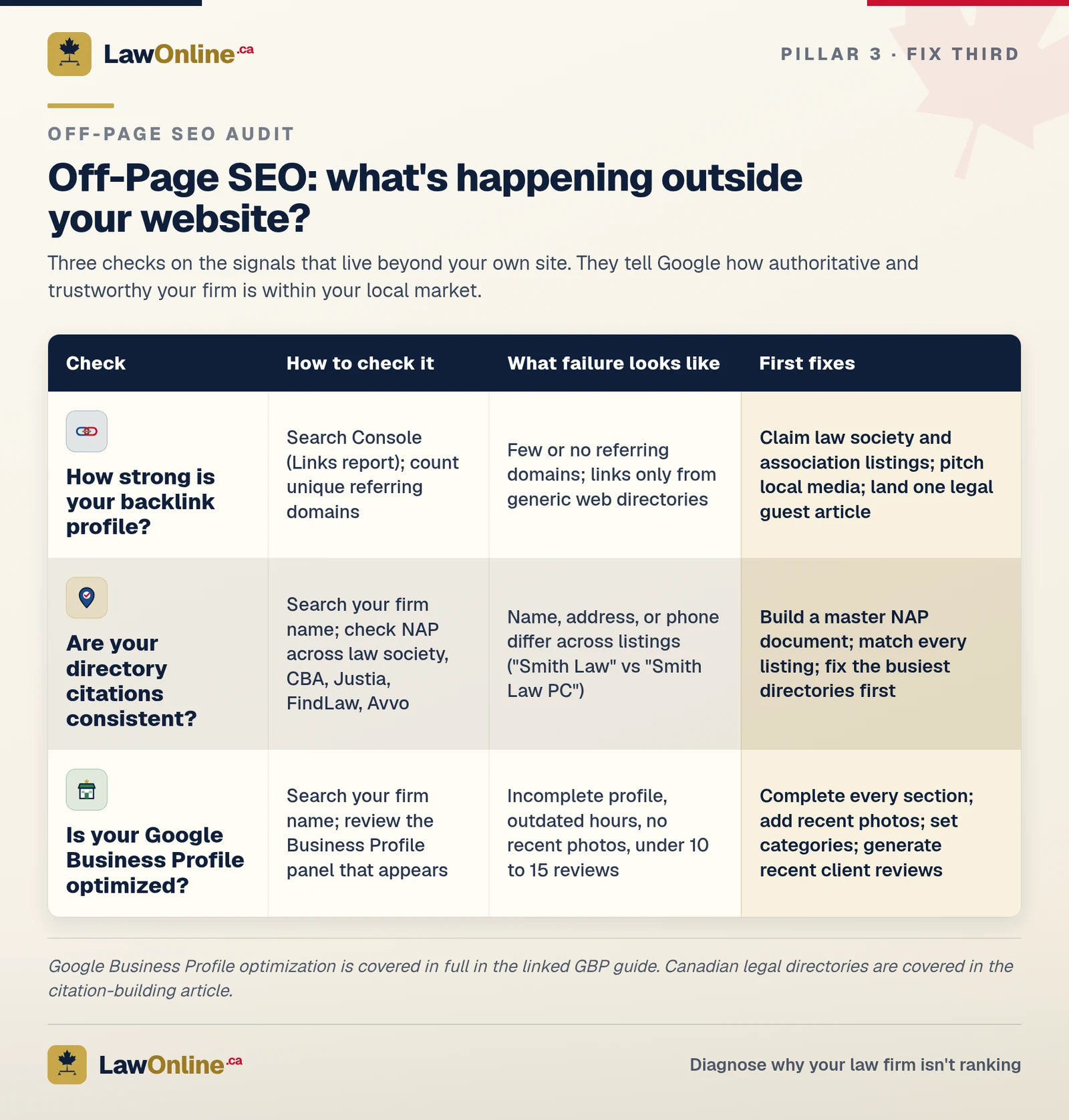
How Strong Is Your Backlink Profile?
Backlinks, links from other websites pointing to yours, remain one of Google's strongest ranking signals. For law firms, quality matters far more than quantity. A single link from your provincial law society or a local news outlet carries more weight than a hundred links from random directories.
Check your backlink profile for free in Google Search Console under the Links report. Look at how many unique domains link to you, which pages they link to, and whether the linking sites are reputable. A personal injury firm with links from local bar associations and legal publications has a much stronger profile than one with links only from generic web directories. Our guide to law firm link building covers the strategies that work in detail.
What to fix if you fail this check: Building quality backlinks takes time, but start with the easy wins: make sure your firm is listed in all relevant Canadian legal directories (here's which ones matter), submit press releases or case results to local media, and look for opportunities to contribute guest articles to legal publications or bar association newsletters.
Are Your Legal Directory Citations Consistent?
Citations are mentions of your firm's name, address, and phone number (NAP) across the web. Google cross-references these to verify your information. If your phone number is different on the Law Society directory than it is on your Google Business Profile, or if your firm name appears as "Smith Law" in one listing and "Smith Law Professional Corporation" in another, Google loses confidence in the accuracy of your data.
Search your firm name on Google and scan the first three pages. Check that your NAP is identical everywhere, then verify the major Canadian legal directories: your provincial law society, the Canadian Bar Association, Justia, FindLaw, and Avvo.
What to fix if you fail this check: Create a master document with your firm's exact NAP (including suite numbers, postal code format, and phone format), then update every listing to match. Tedious but high-impact, especially for local SEO.
Is Your Google Business Profile Optimized?
Your Google Business Profile is often the first thing potential clients see when they search for a lawyer in your area. It appears in the Map Pack above organic results, showing your firm name, reviews, hours, and contact information. An incomplete or outdated profile is a missed opportunity.
Search for your firm name on Google and look at your Business Profile. Is every section filled out? Do you have recent photos? Are your hours accurate? Do you have more than a handful of reviews? Are you posting updates? Our complete GBP optimization guide walks through every field and feature that matters.
What to fix if you fail this check: Fill out every section: business categories (use "Personal Injury Attorney" or "Law Firm" as your primary, specific practice areas as secondary), service areas, business description with relevant keywords, photos, and regular posts. Then focus on generating reviews from satisfied clients, because review count and rating are among the strongest local ranking factors.
What Should You Do After Your Audit?
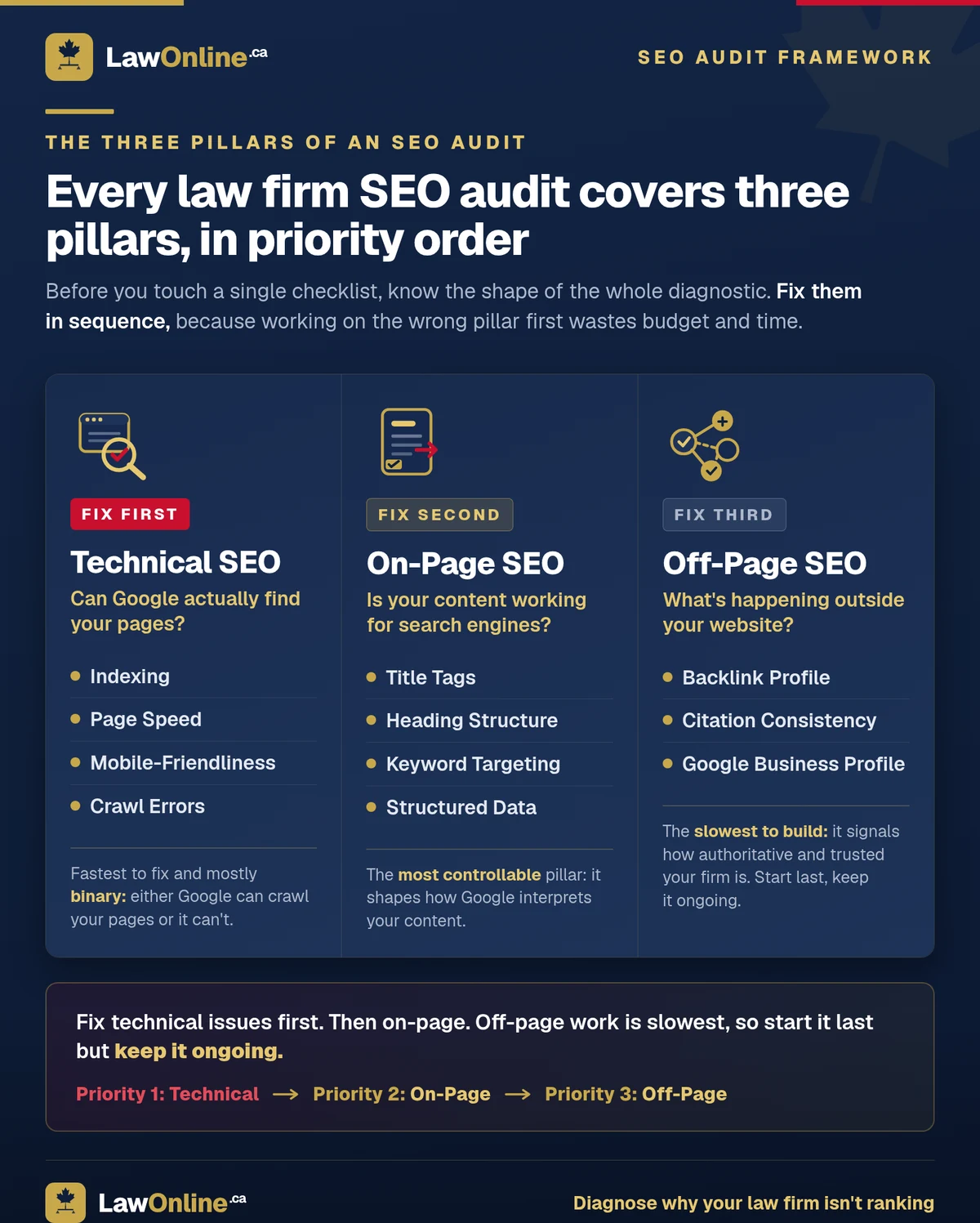
If you've completed this SEO audit checklist, you now have a list of problems. The question is what to tackle first.

Start with technical issues. If Google can't index your pages or your site takes six seconds to load, nothing else matters until those are fixed. Technical problems are also the fastest to resolve because they're binary: either the sitemap is submitted or it isn't.
Then move to on-page issues, starting with your highest-value pages. For a personal injury firm, that means your main PI practice area page and city-specific pages. For a family law firm, it's your divorce and custody pages. Fix title tags and restructure headings before worrying about less-trafficked pages.
Off-page work comes last because it's the slowest to show results. Directory citations, backlink building, and GBP optimization are ongoing efforts rather than one-time fixes.
When Should You Bring in Professional Help?
This audit gives you a clear picture of what's wrong. Whether you can fix it yourself depends on how technical the issues are and how much time you have. Title tag rewrites and GBP optimization are things most firm administrators can handle. Crawl errors, structured data, and site architecture require a developer.
If your audit reveals issues across all three categories, or if your firm can't spare the hours while running a practice, that's when working with a law firm SEO provider makes sense. The website audit you've just completed means you'll walk into that conversation knowing exactly what your site needs, which puts you in a much stronger position to evaluate whether a provider's strategy actually addresses your real problems. Our guide to choosing a law firm SEO agency covers what to ask and what to avoid.